
 Find us on the Chrome store
Real-time clarity for everything you read
Our browser extension streamlines research, writing, and analysis with AI-enhanced precision. Lighthouse offers real-time, evidence-based reports to evaluate the credibility, bias, and transparency of everything you read online.
Download on the Chrome StoreHow It Works
A simple, transparent process for real-time clarity
01 – Identify Context
Understand the Article at a Glance
Lighthouse analyzes structure, sourcing patterns, topic signals, and contextual markers to offer readers a clearer starting point. Students see the essential elements of an article without influence or interpretation.
Download on the Chrome Store02 – Compare Perspectives
Show different perspectives
Readers can see how other reputable sources frame similar events or ideas, helping build critical thinking without forcing conclusions. This supports classroom discussion and institutional literacy goals.
Download on the Chrome Store03 – Highlight Essential Reading Cues
Highlight What Matters
Lighthouse highlights core comprehension cues such as sourcing transparency, evidence strength, perspective diversity, and confidence ranges. These cues help students read with more confidence while giving educators structure for discussion.
Download on the Chrome Store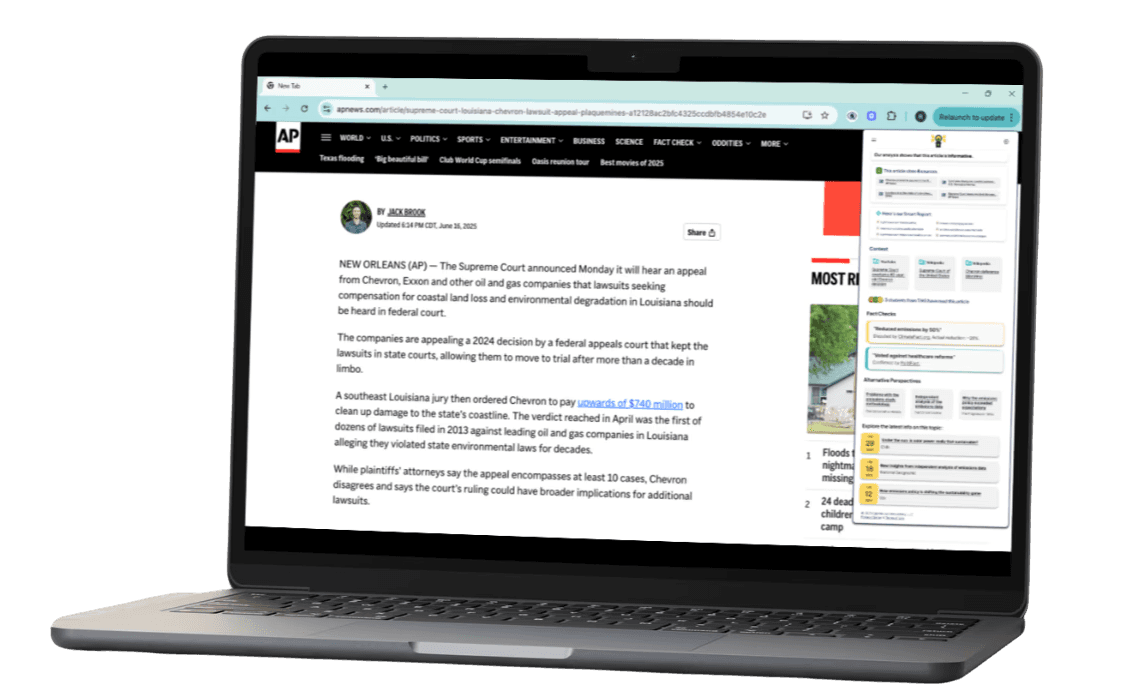
Real-time context that supports learning
Clarity designed to support every reader, in every environment.
Bring Transparency to Every Article
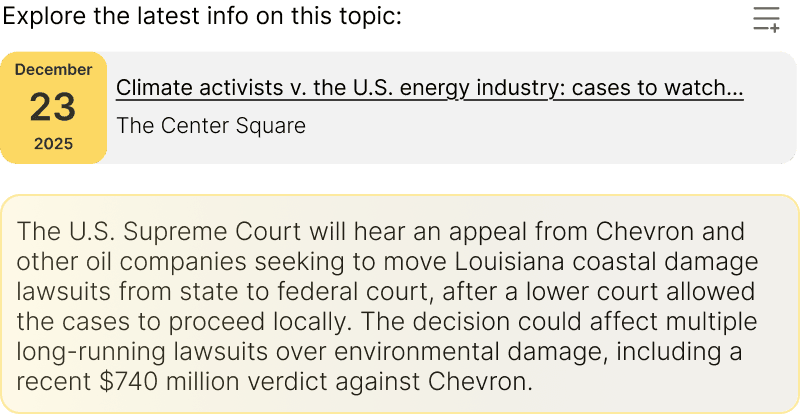
Lighthouse adds real-time context to digital articles, helping students understand sourcing, perspective, and credibility without leaving the page.
Make Complex Information Easier to Teach
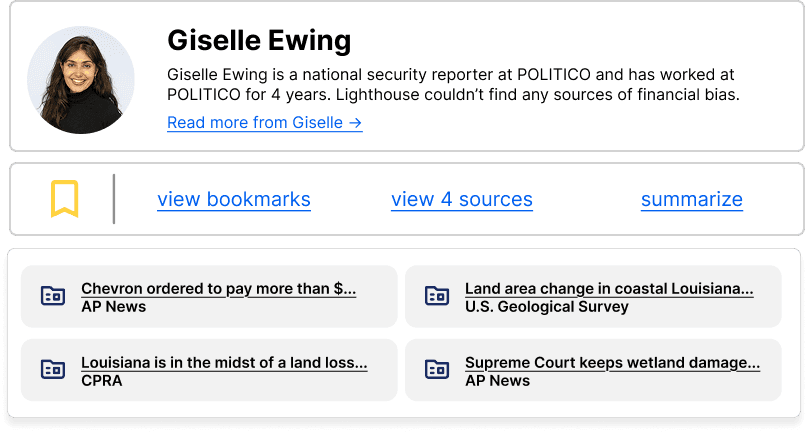
Give educators a tool that clarifies challenging material. Lighthouse surfaces contextual signals that help guide discussion, support media literacy outcomes, and reduce teacher workload.
Support Critical Reading Across Your Institution
Whether in classrooms, libraries, or independent study, Lighthouse empowers students to read with confidence. Real-time context promotes safer digital engagement and aligns with modern media literacy standards.
See use cases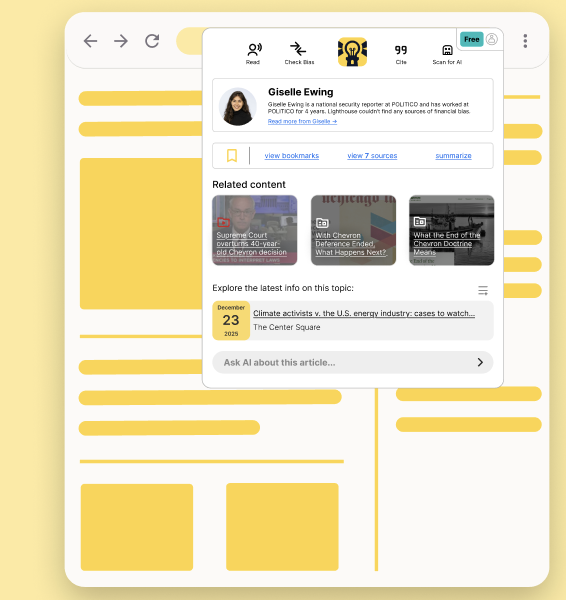
Who LIGHTHOUSE IS For
Built for every learning environment and designed for every discipline.
Give instructors tools that surface context, reduce confusion, and deepen comprehension.
Supports readers in understanding complex information, recognizing bias, and making informed decisions.
Enhance the research process with a tool that streamlines and clarifies your learning.
Benefits
Help every reader move from confusion to clarity.
Lighthouse enhances how students and educators engage with digital content, reducing confusion and supporting deeper understanding across all disciplines.
Real-time clarity
Article-level widgets show reliability and key credibility cues right where you read.
Balanced perspectives
2–3 credible viewpoints appear alongside the article, widening perspective without overwhelming readers.
Civil discussion by design
Moderated, article-scoped threads give students and readers a safer place to engage.
Transparent methodology
Source labeling, highlights of bias, and author identification - all in one.
Classroom-ready & compliant
EDU Mode, privacy-first defaults, and WCAG-aligned UI fit COPPA and FERPA expectations.
Neutral, low-friction experience
A non-partisan interface that installs in one click and reduces cognitive and emotional fatigue.
Compare
Why Lighthouse?
Competitors provide fragments of the solution, but none address the full spectrum of urgency: real-time clarity, expanded context, and safe dialogue.
- Static site ratings
- One-score verdicts
- Little or no context
- No safe discussion
- Limited classroom fit
- Opaque data practices
Lighthouse- Article-level, real-time clarity
- Transparent, multi-source references
- Instant contextual perspectives
- Civil, article-scoped discussion
- Classroom-ready, privacy-first design
- Neutral, accessibility-first interface
Testimonials
Real classrooms. Real institutions. Clearer reading.
"This is exactly what kids need when you’re prepping them for college research. It teaches them how to research, not just how to search."
“We have a lot of assignments where we have to evaluate our own schoolwork or evaluate the origins of authors and credibility and their biases. So this can definitely make things easier — it won’t do it for you, but it gives you a glimpse into how to evaluate a source.”
FAQ
Frequently asked questions
Lighthouse is a browser extension that adds real-time clarity to digital articles by surfacing context cues — such as sourcing, perspective, and structure — directly as readers scroll.
No. Lighthouse is strictly neutral. It does not score, rank, or judge articles. It simply reveals context so readers can form their own interpretations with confidence.
Yes. Lighthouse is designed with privacy-first principles, FERPA-friendly defaults, and no personal behavioral tracking.
Setup takes minutes. Most institutions begin with a small pilot for one course or department, and can expand gradually to meet institutional goals.
Yes. Lighthouse supports reading across humanities, social sciences, STEM fields, journalism, education, and general education courses — anywhere students engage with digital content.
No. Lighthouse works automatically in the browser and requires no technical setup. Instructors can turn features on or off based on course needs.
Absolutely. Lighthouse gives institutions a consistent, scalable tool that strengthens comprehension, supports critical reading, and aligns with media literacy initiatives across programs.